address bar shows past links? addresses fill in by them self in a drop down when you try to type in sites? that's auto complete. easy to turn off!

open.your.eyes.open.your.mind....

NewsletterReturn to Index pageForum
this is that annoying  drop down that shows EVERY web address you have gone too ~  some say you can just right click and select delete ~ but most find that does not work. easiest solution is to just turn it off! 

click start, then settings, then control panel, 

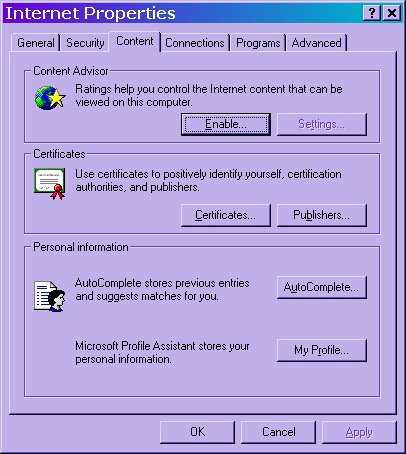
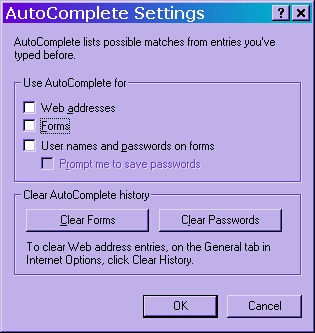
then internet options. go to the content tab, click on auto complete.

uncheck the boxes for web addresses. 

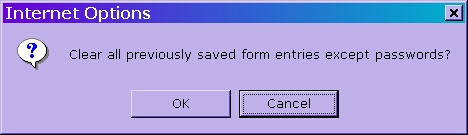
you can also click clear forms

to clear the auto complete history. you may need to close and reopen browser to see results.


tools

Cleanup2.0 will clear the address bar out when run.

IE-Edit will allow you to selectively clear out the address bar


go here if you need to learn how to clear your computers history. hx.html 


Content and images copyright ©2000-2004 by Nhyrvana ~violators will be spanked

disclaimer/ terms of use: the use, installation, or application of any of the materials, hints, advice here is solely at the risk of the user. this is a personal site, not a business site. nhyrvana will not be held responsible for any resulting damages, loss or other results due to the usage of the material presented here. if you have any doubts, feel free to search the web for other information. use of this site indicates agreement with these terms..... feel the need to help support nhyrvana? then you can donate a dollar

open.your.mindNewbie2Knewbie NewsletterHelp forums and Fun stuffComp and Chat help