couple of pages you may need to refer to along the way...... How to install a web cam.. using your regular WEB cam to take a picture is usually pretty easy. you can ask a friend you trust to screen cap for you and send. or in just a few minutes you can take your own pic off your webcam. you will need a few files along the way. i strongly suggest the program IRFANVIEW. it's small, free, and will capture, crop, and has several special effects. you will also need to search your computer for VIDCAP32.exe. if you cant find on your computer, download vidcap from yahoo for free. * you can also use your yahoo webcam preview, but the vidcap gives you the option to select a larger view.... 
 | with yahoo CLOSED!! open the vidcap file.....then point the cam at you..... you will see the preview on screen. if you only see one frame, and it will not refresh the view, click OPTIONS, then PREVIEW to enable the moving picture....... got the pic you want in the frame? you have two ways to save this fast! i prefer using IRFANVIEW, just open the program, click OPTIONS, CAPTURE, select FOREGROUND window.....
| * you can also capture the image off your preview screen on yahoo ... ps.... this means EVERYONE who can see your webcam can also save images...... AND they can do a streaming video save too with a different software... so BEHAVE on cams!!!
|  |  | make sure you have the vidcap screen targeted and do capture! more info on the screen cap page. When you have the image open in IrfanView, you can select an area to crop, recolor etc. then just click on file, save as, and name your image.... MAKE SURE to select JPG as the format!! then just go to the upload tool / page for the place you want to add the pic.... and follow the directions. need help loading to a yahoo profile? check here. good luck!
|
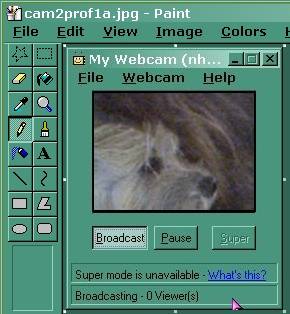
Don't want to download anything? you can use printscreen, then open paint, and select paste.... then save the image there. please note paint doesn't give the option for saving as a jpg for many. you may end up with a bmp file you still need to convert to a jpg. you will usually not have options to crop of modify the image much.
 good luck! |
