what are cookies? cookies are just small bits of  data stored on your computer by a site. most are no problem and 'expire' when you leave the site or close your browser. some, though, are capable of saving info about your browsing  habits . bad stuff.......

open.your.eyes.open.your.mind....

NewsletterReturn to Index pageForum

personally i clear cookies daily. if you do this, you may not some have passwords saved and will need to relog in some sites. over all though it is a good security measure and also can clear lots of  space on your computer if you haven't done it before. there are some programs  that will also block cookies or allow you to accept and automatically dispose of them when finished on a site. 

so.... how to clear..... i prefer manually doing it, because knowing where things are on your computer is always a good thing ~     
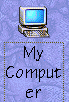
now, i double click the my comp icon on my desktop,
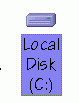
then c drive
then  windows
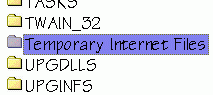
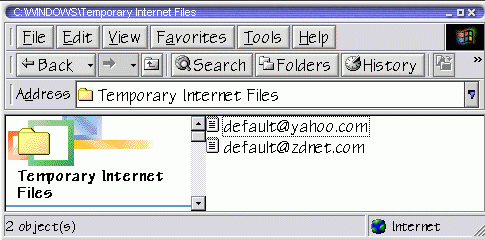
and then temporary internet files

when open you will see the cookies  and some other files.

if there are LOTS of cookies you can right click and drag over  a large number of them and then right click and select delete until the cookies are gone. some may find it easier to click edit.... then select all... then click file. and delete...

as i said before, i do this daily, you may chose to do so only before you scan disc and defrag. its up to you. and remember that  even if you clear temp files and history it does not clear cookies!!

cookie: cookies are small bits of information that sites leave on your computer. for chat sites it includes your user name and log in information. most are set to expire after a certain amount of time, or when you log out.  

some web advertisers leave them in your computer and can target ads to you based on your cookies.

want to see the video how too?  download the clear cookies video

the help file is a small swf file, that may take a minute to load.... be patient. its faster than downloading an avi :)


need to enable cookies? 

as much as i like to do it by hand, there are some programs that will clean these for you automatically like cookie crusher and cookie cleaner. some are free. some are shareware. look around. pc world had a nice article about 5 diff cleaners..... check it out :)


Content and images copyright ©2000-2004 by Nhyrvana ~violators will be spanked

disclaimer/ terms of use: the use, installation, or application of any of the materials, hints, advice here is solely at the risk of the user. this is a personal site, not a business site. nhyrvana will not be held responsible for any resulting damages, loss or other results due to the usage of the material presented here. if you have any doubts, feel free to search the web for other information. use of this site indicates agreement with these terms..... feel the need to help support nhyrvana? then you can donate a dollar

open.your.mindNewbie2Knewbie NewsletterHelp forums and Fun stuffComp and Chat help