|
Found cute icons on the net and
want to customize your desktop? ps.you can also check out the
favicons page for several icons that you can also
use for desktop icons
Want a set of free icons Nhyrvana made? These are partner
sets to go with the custom smileys!
Bear icons, Christmas icons,
heart icons,
cat icons, dog icons,
bunny icons, flower
icons, tulip icons, and duck
icons ! Click the preview images found all over this page to download
the ICL or zip file. If you need them separated, or have a suggestion,
let me know!
Ready to use them on your desktop? Some folks
prefer to use an icon tool like MicroAngelo or Scions but you can easily
change your icons with out a tool.
Free icons can be found all over the net and will
be in a .ico or an icl
format file. A .icl format is an icon library and usually
will have SEVERAL icons.
Ready to change the icons ? The directions are
about the same for win98, winME, and winXP ~
all zip files on here will be ICL files
and are seen just fine on MicroAngelo and via Windows desktop properties.
Why icl format? and why zipped? folks cant steal bandwidth using
the images on forums and emails and make it hard for YOU to get them. i do
like to see the images on the net :) but hate not seeing credit and HATE
what it does to slow the site down.
IF you have a problem and need just ONE icon
from the set and cat get to it... or need/ want a custom one, drop a note on
the forum please:)
 |
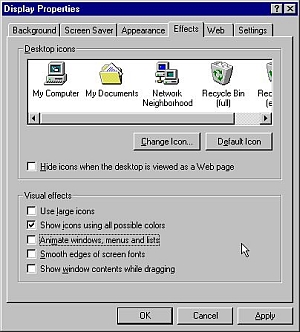
go to the control panel, and click on
DISPLAY
On Win98 ~
click on the EFFECTS tab
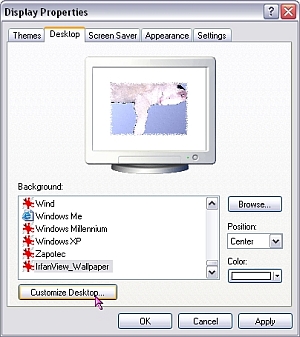
ON Win2000 and Win XP, select the desktop tab, and
select CUSTOMIZE
|
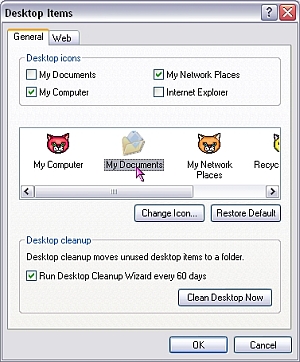 |
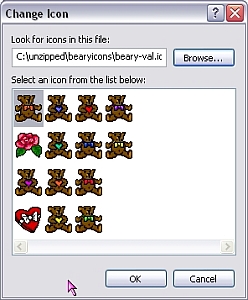
select the icon to customize, and click
on CHANGE icon.
|
|
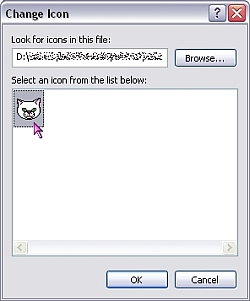 |
you will need to browse for the file to
use... and it needs to be .ico or a .icl
format file to use.
|
|
just okay out of that
window then, select apply as necessary and you should see your new icons
on your desktop
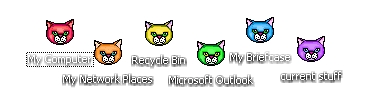
DO NOT forget to change BOTH trash/recycle bin icons...
one for full and one for empty. If there is not a special one for empty
and full, personally i just use the same icon twice.
|
 |
|
|
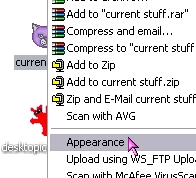 |
if you
prefer to use an icon tool, like MicroAngelo, it will appear on the
context menu when you right click an icon.
|
Have fun! there are tons of
icons out there ~ ready to make your desktop a nicer place to visit.
|