lose a file?- click your start button, then click on find then files/folders
( some may have search instead of find. )
then type in at least 3 or 4 letters of the file name you are looking for, 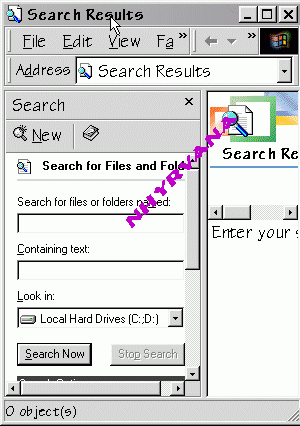
then select
where to look, usually c: drive
then click search now. you will see the results in the lower or left section
and can look at the files and find the lost one
|
|
~change how a file opens- 3 different ways hold shift, and right click the file, and click open with, and select the tool...like note pad windows explorer > tools > folder options > file type tabs > find (old way to open), remove file type/ > find (new way to open ), add file type open windows explorer....then click tools.. folder options...then file types.... scroll to the file type its wanting to play.. and change what that file is opened with
thankies autumnjade :) |
|
Content and images copyright ©2000-2004 by Nhyrvana ~violators will be spanked disclaimer/ terms of use: the use, installation, or application of any of the materials, hints, advice here is solely at the risk of the user. this is a personal site, not a business site. nhyrvana will not be held responsible for any resulting damages, loss or other results due to the usage of the material presented here. if you have any doubts, feel free to search the
web for other information. use of this site indicates agreement with these terms..... feel the need to help support nhyrvana? then you can donate a dollar
|
