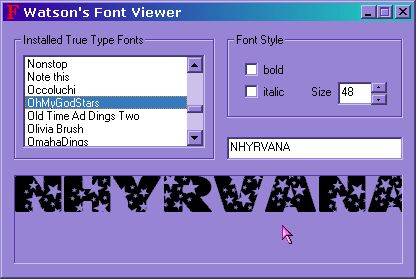
| ever looked at a website and the text looks strange? ever see a link to download this font to view site correctly? or do you want to do a lot of cool graphics or just have pretty letters? rule number one ~ unless others have the font... they probably will not see it in a web page, chat or letter. so stick with common ones there.... or offer the font link for download. almost all fonts are found on the net. rule number two ~ too many fonts does slow your system. if you're in chat, it may actually be quicker to override the nice font selections. =o( i confess to having over 600 fonts installed. and over 450 are ding / pictorial fonts.... only for graphics use... and one day i will see about moving the dings to a font2 folder... now.. if you are installing one font.... or a dozen.... the procedure is about the same. you will need WinZip and if you will be installing several at once i recommend you use
Extract Now..... ( for extract now... just drop all the font zip files in.. click extract....and point to fonts folder .....)   if your installing one font.... just run the winzip utility and unzip it to the C:\WINDOWS\FONTS folder....... ( and if your on win2k, the path maybe C:/Winnt/fonts unzipped it someplace else? just click start, settings, control panel, then fonts. on the tool bar, click FILE, then INSTALL FONT, and find where you dropped the unzipped file.. When done, click VIEW, and REFRESH and all the fonts should be listed. Many users find they need to reboot their computer to completely install all the fonts completely
 |