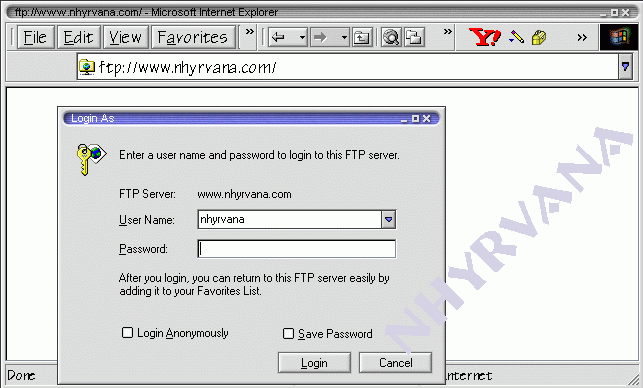
- it usually is a tool, like ws ftp or cute ftp, or any of dozens of other programs. some are free ware, some are share ware.
- some page building programs include an upload tool. (like FrontPage~ see bottom)
unless you want to try to use ie, you need an ftp client. - ws ftp free
-
cute ftp
-
fetch ( mac )
- coffee cup free ftp
so why do you really need ftp and why do you need to know how to use it? or at least fumble through it? ftp is how u move the webpages or files from your comp to the server once you have installed the ftp client, and are ready to try an upload, open the program. the first time ( or maybe each time ) you start the program you will need to enter some information to set it up. this particular example uses ws_ftp95 provided by my isp. i also use cute ftp and ws_ftp pro. some images below may be from one of them as well :)
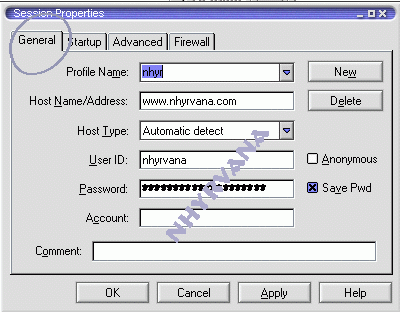 enter the host name , user id and password, most sites will not allow anonymous ftp, don't forget to decide if you want to save the password.
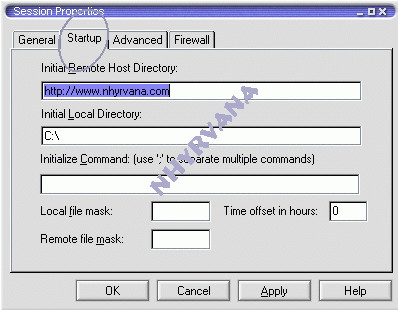 here is where you select what directory to start in on your server and locally
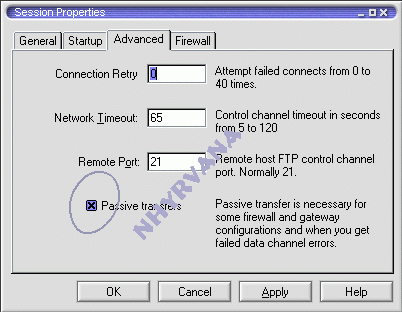 i suggest passive transfer, i think its best for use with a firewall, and don't forget to allow access via firewall as well . the port should be auto selected (21 is default)
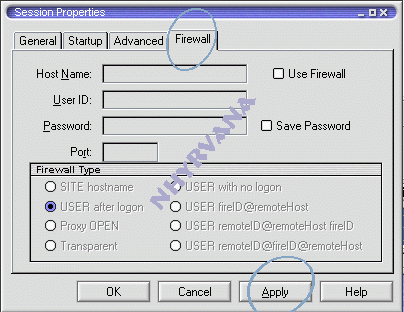 this is what mine looks like on firewall tab~ an i use zonealarm - enter in the site ( host) name, user id and password... if you haven't saved it....
- then click connect
- some host names will be ftp some www. some will be ftp. read the sites directions!
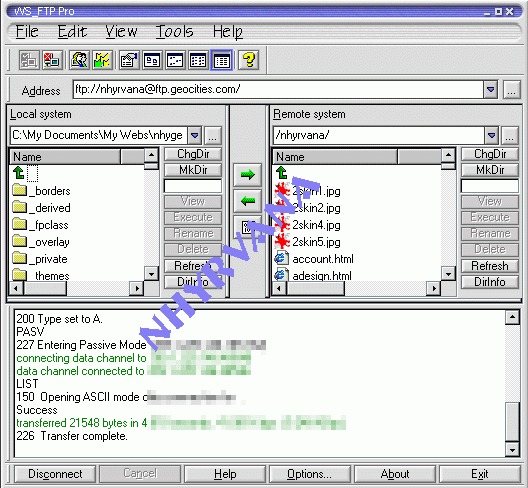
- once connected~ it should look something like this... ( this is wsftp95)
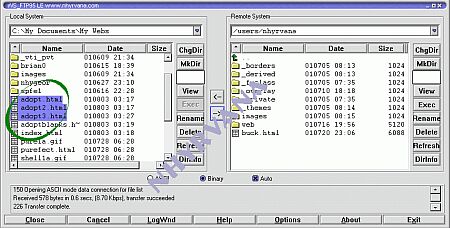
- if you haven't set the directory you want to download from and upload to~ just use the up arrow in the preview panes
 - you may also want to use the ChgDir button, but the other allow you to browse for what you need.
- then just select the files you want to upload on the left pane
- you can drag over several at a time.
- make sure you have selected the correct place on the right (server side) for upload
- then click the upload button

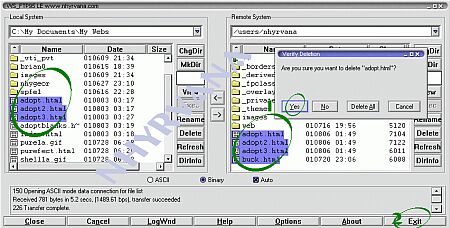
- you can also use ftp to remove files from your site (1)
- when you are finished, click exit :) (2)
- then check your site on a browser :)
if you are using M$ FrontPage you should have an option to use the publish tool in it just open up your index page ( needs to be in webs folder) then click on file then publish web. you should get this pop up ->
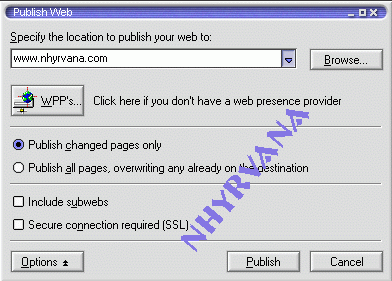 place in your server address and select your publish option and click publish then....you should get this pop up
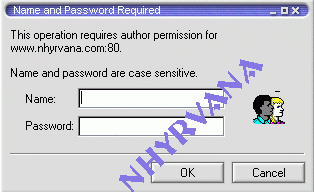 simply type in user name and password ... you will then get a screen so select directory to upload from and upload to |