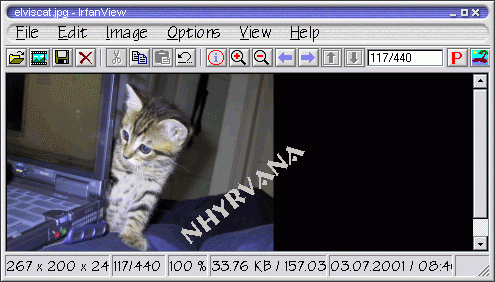
| this page may load a little slow.......cause i put several screen caps on here to help.......and this is by no means a comprehensive help for ifran.....just a quick info session to help you change a pics format so... i prefer to use IRFANVIEW to do the resize, format converting, and general fast edits on images. so. open up IRFANVIEW, then click file. then open. 
then you will see a pop up that allows you to browse for the pic you want to edit. if you aren't sure. just click slowly one image at a time....and a small version will preview in the lower left of the pop up.if it says the format is not supported ~ don't worry.... check screencap page for how to use ifran to convert . 
once you have the pic up, you have a few options available to edit it. you can crop it, just put mouse on a point on pic., and click and drag, easy to undo....or redo. just click the little left swerve arrow or click file...( then reopen to go back to original pic or previous edited version. ) click edit/crop to make the cropped version show.
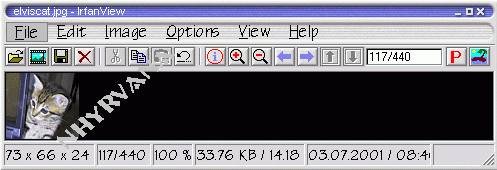
you can resize it ( a good idea is something about 250x400 pixels maximum size for posting on yahoo ) just click image then resize 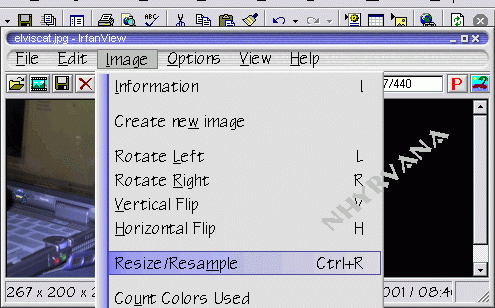
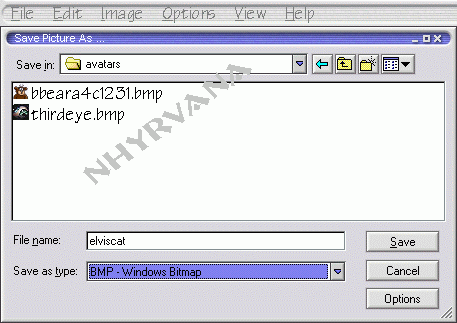
and you can change its format ( yahoo prefers .jpg format ) just select a different format for the pic when you save it, to save just click file, and scroll down to save as.. name it something similar to your chat or user id.. so you will be able to find it. and remember when you save it too!
play around and experiment with what you do to pics...using the effects.....swap colors........ or just messing around with size and crops and colors. at any rate....... have fun.......... you can use ifran to edit all kinda of pics......... play..........learn......... need help loading that sweet edited pic to your profile? take a look at my profile help page | 