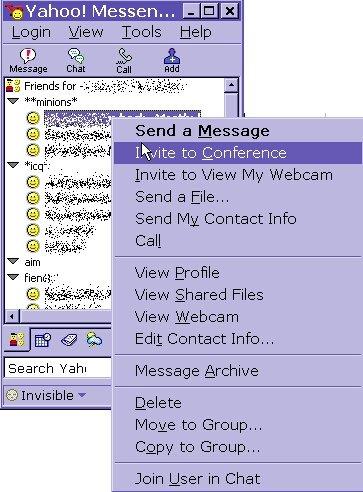
you may need to do some list cleaning , since you can only have 100 on the list (yah-who) ~ and we all know how popular you are..... well most of the time, people will just look at their list. and try the right click and delete option 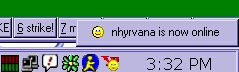 but then the realize that they still see the persons name coming and going in the lower left of the screen. and they think, heck i deleted then from my list!! but then the realize that they still see the persons name coming and going in the lower left of the screen. and they think, heck i deleted then from my list!!
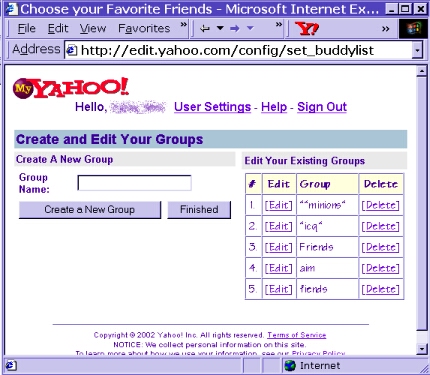
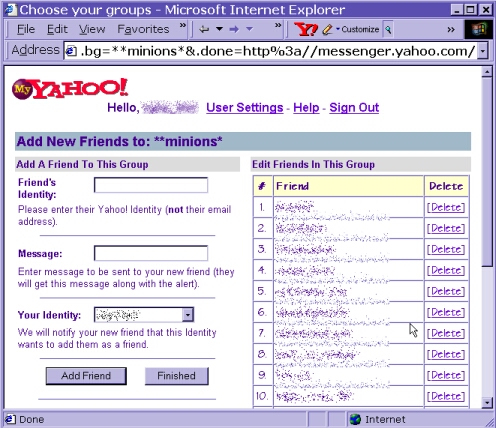
OPTION #1 you can go to http://edit.yahoo.com/config/set_buddylist there you can select the word next to any friends group to see your buddy list...................... BE VERY CAREFUL...DO NOT CLICK DELETE ... there is no confirm delete message there....... all will be lost.... after you select EDIT .....you will see al those listed and be able to delete an individual or even a whole group. again be very careful here! you can even add a new buddy at this link the new link is
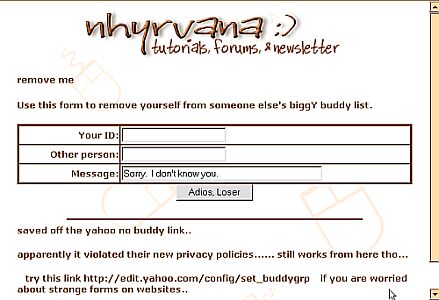
http://messenger.yahoo.com/edit/add/ and does NOT appear to allow you to remove your id from anothers list. i tested it with my own ids. i still see me ... but you can delete them off your list fine.... OPTION #2 person doesn't show on that edit buddy list? or want to just remove someone ? no muss no fuss? the old yah-whoooo nobud link is dead~ apparently it violated their new privacy policies...... still works from here tho... so, go log in on your account, (via mail or web browser, then go here /nobud2.html then just enter the id they added you under, their name, and a message...... click adios, loser and they are history! if it wont allow the delete.... try your other names on the account. occasionally someone will add you on their main account name, rather than an alias =o( and that makes them almost impossible to delete. |