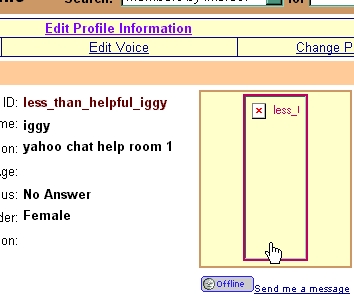
first .....this is not scanning help..... this page is to help if you have the pic already on your comp........or email even.............so, make sure the pic is in a .jpg format. and is about 200x400 pixels in size maximum ( that's about 4 inches by 6 inches in size )....... if it isnt that........ you will need to edit it.......... the .jpg is pretty much non negotiable.......yahoo prefers .jpg. the size is somewhat negotiable......but larger. and it may not show up on the profile , just a box with a red x.......if you have your pic all ready in format and size.........lets do it.......
| trouble shooting yahoo photos and profile picture problems .... trying to upload a pic to your profile and it only shows a red x? NOT everyone is experiencing this. but some are. on a test account i have same issue, and if i try to upload to photos.yahoo.com it shows pic loaded, but if you view it says i have no files no matter what! other profiles on the same account show a pic tho. I suspect its a transitory issue, the end of the transition ... if so they are way behind schedule, * i am just now seeing a new design...... more later. ymdb_err-18 ? this is also part of the changes to photos.yahoo.com. This error message simply means you already have a file with that name uploaded. just rename the file and upload.. an interesting factoid note here.. red x= NOT changed over accounts... ymdb_err-18 = changed over accounts.... how do i know that? simple deduction.... un-transitioned accounts will allow you to upload the same file repeatedly and just add a - to the name. |
if you get LOST! and need video help get it here PROFILE PIC HELP VIDEO
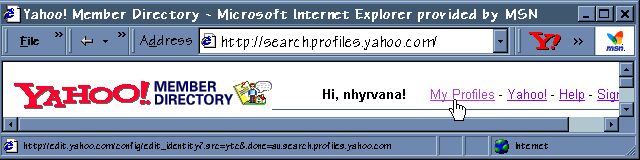
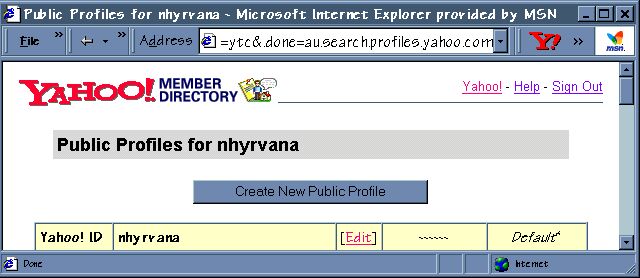
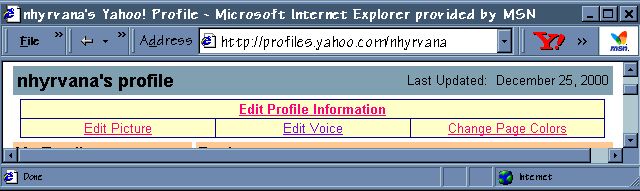
go to http://profiles.yahoo.com and log in.......... should look like this ( not for a yahoo profile??? scroll down......) now click that 'my profiles' link............then you will see this............. select the id from the list that you want to add the pic to........ click the edit link...........and you will see this............... now click that edit picture link........... and you should see a page that includes this.......... 
click the browse button and find your pic on your computer. try looking in your computers briefcase, or in your documents file..........in pictures.......... then double click the pics name.......and it will load the name in the white bar for you...........then scroll down................and click the upload button.........should take ya right back to your profile with your shining new beautiful pic in place ..... ps no more animated pics unless hotlinked. 
couple of side notes...........
if you cant get this done, because of the stupid confirmation code not showing> update java the numbers and letters are a java function. if you select to point to a pic on the web.......... you have to copy/paste in the link........and if you are using a pic from a different site...like not your own.........it will probably show as a square with a red x.......... best to right click the pic.......select save as.....and save to your comp...then upload it to your profile.....like above.......and do not link to pics on geocities pages. link to whole page instead. YAHOO removed that option in August 2003
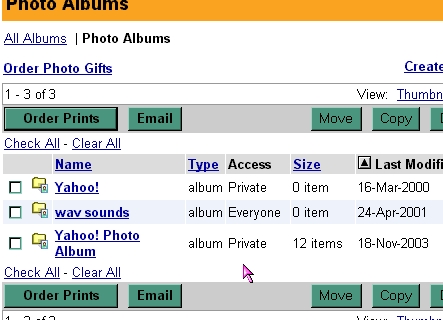
if you have already uploaded the pic before to yahoo photos....click the yahoo photos link and find your pic.....then click the box under the pic.......scroll back up....click select.......and your pic will load to profile. if you want to have a larger pic than yahoo likes...... i suggest you you visit geocities and use pagebuilder or a page wizard and upload the pic there....and make a pic page and place the link to the page on your profile. you can place it in hobbies or latest news or in your cool links........its easy......just takes a few minutes to do. |