adding a "sig tag" to your forum posts.... Sig tags * signature tags* are a way to promote yourself, your website, or your favorite things on a forum. You should always check the rules of the forum to see what image size limitations they may have.

open.your.eyes.open.your.mind....

NewsletterReturn to Index pageForum

This is NOT how do I make a banner or icon help.... sorry..... Have an image and need to resize it?  Check this page....

Have the image you need? GREAT...... now you will need the "forum" code.. it is not standard html... Log into the forum~ look for user preferences/ profile... it varies by forum...
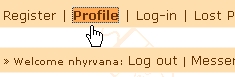
log inThen look for the signature area.... you may or MAY not be allowed to add images. You may only be able to use text.... again varies by forum....
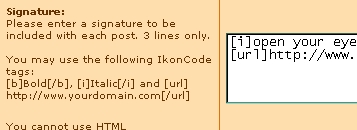
 

sig tag 1

examples.... One banner..... * remember to keep with in the size limits... this has the code for a hyperlinked image back to the site of your choice

[url=http://www.yoururl.com][img]http://www.yoururl.com/yourimage.jpg[/img][/url]

change the url and the image url obviously.....
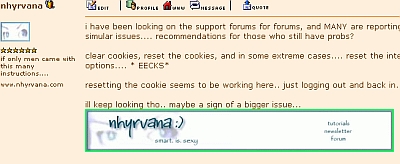
sig tag 2

if you want to use more than ONE image.... again. make sure you stay with in the size limits.....
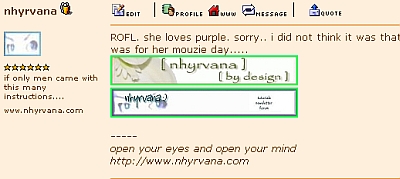
sig tag 3

if you have a return at the end of the first set of code, then the second image info....it should stack.

no return at the end of the codes...and they should line up next to each other.

sig tag 4

Want some cool smileys and emoticons to add to your forum sig tags and posts? Holiday specific and some just FUN! Check out my linkables!

Some Forums

Add-ons

  • GeoUrl ~ this is a tag you can add to websites and forum tags that has links to other geographically local websites.
    • How to add GeoUrl


  • Audio-Tracker~ this plug in shows the current music you are listening to via WinAmp


  • imood,~ this is a emotion icon you can place on websites and in sig tags
  • How to add imood

Some common forum tags

[quote]This tag will allow you to quote phrases from other sources[/quote]

[url=http://www.xube.com]xube[/url]

* sometimes folks ask.. what is the diff between url= link.....and the url]link code.... the url= code is used if you want to have the text display other than the link....*

[b]Bold text[/b]

[i]Italic text[/i]

[u]Underlined text[/u]

[color=red]Change the font color[/color]

[list]Start a list
[*]List item
[/list]

[img]image url[/img]

Content and images copyright ©2000-2003 by Nhyrvana ~violators will be spanked

disclaimer/ terms of use: the use, installation, or application of any of the materials, hints, advice here is solely at the risk of the user. this is a personal site, not a business site. nhyrvana will not be held responsible for any resulting damages, loss or other results due to the usage of the material presented here. if you have any doubts, feel free to search the web for other information. use of this site indicates agreement with these terms..... feel the need to help support nhyrvana? then you can donate a dollar

open.your.mindNewbie2Knewbie NewsletterHelp forums and Fun stuffComp and Chat help
