Tools you need :this is what you need ... canned air, alcohol (no not beer =o)~), cotton balls, cotton swabs, a few soft clean cloths. time and patience. any other tools you find that work ~ great !
Terms:
peripherals : means scanners, cams, mouse, keyboard
Similar links....
Clean the INSIDE
Scan Disk
Defrag
TIP!: if you have printers or other items used with your comp, now is the time to blow all the dust from them. especially printers. they accumulate dust and paper fragments and can really reduce the quality of your printing. clean cases and covers with that clean cloth and use a little alcohol if necessary.
How often should i clean my comp like this?
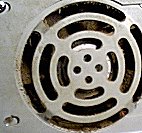
Personally i clean the dust bunnies out of my comp 3 or 4 times a year. with all the cats and dogs here, the fur factor is high. you may be okay with once a year. if your FAN intake looks like this.... its time...

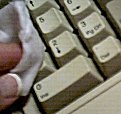 keyboard first! unplug your comp and all peripherals ( that means scanners, cams, mouse, keyboard everything). i stand my keyboard on its edge and use the canned air to blow out all the cat hair, dog hair, people hair and
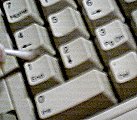 crumbs (ack. yes i have eaten at keyboard....as if you haven't.....) and junk that accumulates there. then wipe the keys all off with a cotton ball with alcohol on it. i use the swabs with a little alcohol between key edges. (notice a color change :P ?) i also wipe off all the cords all the way to the tower. some folks say that a nice tool to also use is a sewing machine brush. it has long bristles and gets between the keys well. be careful with that canned air ~ don't use too much!
 my fave way is to use a pencil eraser...and loosen it...watch the droppings though. make sure they fall out. then wipe the rollers with a swab with some alcohol on it.. let it all dry well and reassemble. wipe outside of mouse with cloth then...and pay attention to the bottom. clean the little 'skidders' on bottom too. if you have a mouse pad with a hard top, wipe it off well. ~ if you have an optical mouse or one with no ball ~ clean the mouse pad and contacts with cloth and a little alcohol . <~ i clean my mouse and keyboard at least once a week.....
 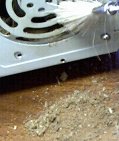 now the big thing!!! take case off of computer. carefully! now use that compressed air to blow all the dust and grime out of your comp. don't over use. it can corrode. i don't use a vacuum, some do...be careful and ground yourself before you attempt that. and use a plastic brush or attachment only! you can short out your motherboard. make sure you blow it all out, especially around power supply and fans, and floppy drives. next clean off the exterior and openings with alcohol and a soft cloth.
 then use a cloth with a little alcohol on it to clean the case and front of the monitor. if you have an lcd screen DON'T PRESS. dust the top and back of the monitor well and check underneath for any paper or dust bunnies that might be stuck there.