IF you are receiving an error when you try to open profiles ( while using Internet Explorer) that says " unable to open this file, lacks association...." or a similar message.... it is often because you are missing CRITICAL WINDOWS UPDATES . there is a reason they are critical. they are often URGENT security issues in the updates. do not think new comp= current, do not think aol 8 = current..... do not assume auto update = current... Many are doing the updates and the problem is fixed. All ready current on all updates and installed AOL 8.0 ? ( or Prodigy, or Earthlink, Or Compuserve, or almost ANY of the isp softwares that come with their own browser....( so doing updates is not a fix option) My buddy KCMAL sent this fix in.....type "preferences" in the address box in AOL. 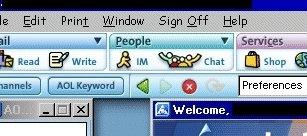 you will get a window that has some choices in it.>>> select "association" 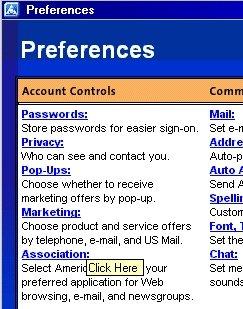
It should ask you if you want to associate this file with this application....pick YAHOO messenger! ( you will see a confirmation message ), say "yes". 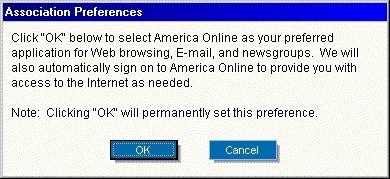
Then restart mess*y*, profiles should work now. *
apologizes, i did some digging and discovered i actually was sent the tip by monk... who sent a copy of an AOL page and a support email to me in Sept of 2002 with the fix. and to my sis who pointed me at a Real Player help page on associating IE with real player if you use AOL. So, new thankies~~~ thanks sis, monk, and kcmal. Don't use AOL and still getting that error? KCMAL gave us this tip > 1) If you use Internet Explorer, go to tools>>internet options>>programs and at the bottom, place a check by "Internet Explorer should check to see whether it is the default browser". 2) Open a new internet explorer window in the normal way, if it asks if you want to make internet explorer the default, select "yes". 3) Restart Yahoo! Messenger, try and view profiles STILL a problem? try setbrowse to reset your default messenger.
Either way, trot on over to windows updates NOW anyway. Folks have tried to remove yahoo, uninstall ie, and even suggested one person FORMAT to fix this problem. folks. ( don't format to fix a yahoo problem. please!) Windows Updates is the first thing you can do to make sure it is NOT your computer, and allows you to then see if it is a program : in this case mess*Y* or AOL: that is misbehaving. Change your buddy icon
* on new versions, to select buddy icon, it is MY
AIM, EDIT OPTIONS, EDIT PREFERENCES, scroll to buddy icon.
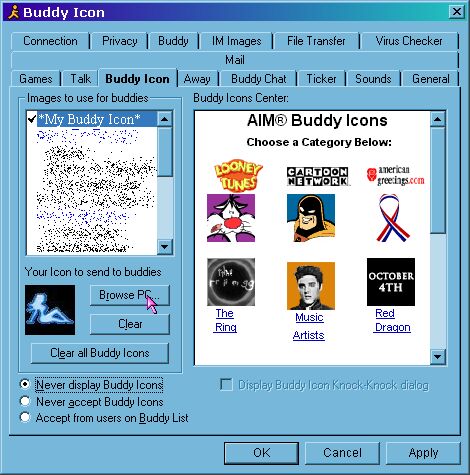
for older versions..... when aim is open, click on people, then scroll down to SELECT BUDDY ICON,
| 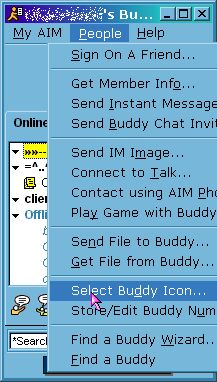 | You should see something like this...( this is an older AIM) I click where it says *My Buddy Icon*, then click on browse PC to find the image i want to use. i save the images in c drive, so i dont have to dig through a thousand pics... you can save them in the aol directory, or in your user name file .. what ever works best for you. You can also browse the thousanddddds of buddy icons aol has available, or check the web for buddy icons. And yes, small animated gifs will work too.
| 
| |



