it only takes a few seconds to do and is easier that you think.... you can look for your own files on the net......or grab the replacement files i have here....
important point..... unless your friends do the same to
theirs, they will see the defaults, or whatever they replaced their
smiles with . first thing you need to do is find your replacement images... you can use most gif images no problem, just remember it should be 16x16 pixels in size...... but large work as well ~ i use up to 32x32 fine on mine. lets use the flag as an example ~ this is the flag that comes with y-messy  and this is the flag i substituted and this is the flag i substituted  ( yeah i'm weird ~ your point? ) you can right click and save this image ~ if you just save it EXACTLY as is to c ~ program files ~ yahoo ~messenger ~media ~ smileys it will overwrite the flag file there ......and you can go on your merry way .... but if you want another flag just read on.... ( yeah i'm weird ~ your point? ) you can right click and save this image ~ if you just save it EXACTLY as is to c ~ program files ~ yahoo ~messenger ~media ~ smileys it will overwrite the flag file there ......and you can go on your merry way .... but if you want another flag just read on....
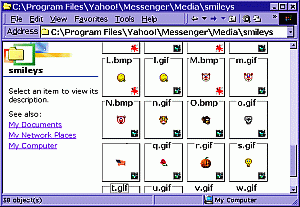 | now, open the folder with the smiles in it...... C:\Program Files\Yahoo!\ Messenger\Media C:\Program Files\Yahoo!\Messenger\ Media\smileys (under view ~ i have it set to view thumbnail view) | 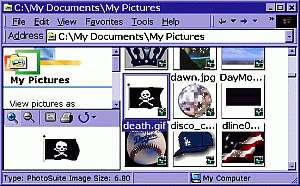 | then find your replacement image.... where ever it is.. | 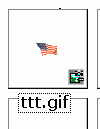 | then i go to the smiles folder. i suggest right clicking and selecting RENAME on the smileys your replacing (if they haven't been renamed already~ ) in case you want to revert to the previous smileys ~ you might also want to copy the smiley file and place in another spot in case an update overwrites your creativity | 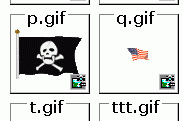 | then drag/ move the new graphic into the smiles folder and rename it to the old smiles name | 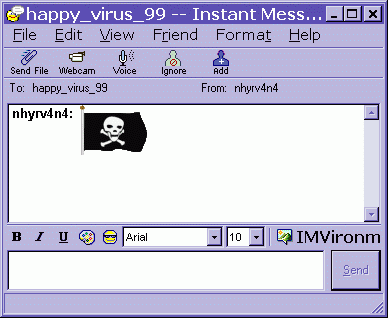 |
Then reboot messenger completely and have fun..... when you type the old smiles code...... your new image will show up.
| |
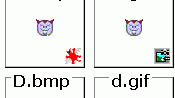 | As for the smiles, or other graphics in that folder, just replace as above ~BUT ! if the image has 2 files, a BMP and a GIF you will need to take a minute and make the second file ( usually BMP ). (if there isn't one already ) either in paint, or irfan. Just open the image in the graphics program, select save as, and save with the same name. the bmp file is what shows on the selector |
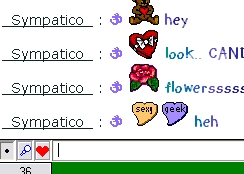 | to use on yahelite, make sure you have included the BMP file ( saved as the same as the animated file@ in your yahoo smiles folder. * and that you have a build PRIOR to 244..... build 244 and up use a built in smile file ~ you will need the smiley zip and to edit the images (BMP ONLY) in that folder.... * the new names are like yahoo_01.bmp etc.
Make sure to edit the smiley.txt file too. change FALSE to TRUE to see the
customs. it is a little more work... but.. worth it if you want customs. | |
|
Check Shears Alternate Animated Gif Smilies Bunny, Frog, Uncle Sam, Bubble Gum, A/S/L/, USA, Canadian & British Flags & MORE... she rox!
why no EXE file for you? BECAUSE you NEED to know how to find files and locations on your computer! AND you need to know WHAT EXACTLY is being installed on your computer. This way allows you to add only the smileys YOU WANT!
TO use custom smileys in YAHELITE ~
it USED to be you just clicked a box and it used the ones you had on
messenger ~ now you need to get the
SMILEPAC
then unzip that to the yahelite folder. THEN edit the
SmileMap.txt
to say TRUE where it says FALSE.
THEN! replace the bmps you want to
customize. If you have a custom tongue smiley, you will replace the 9 and
09 bmps. * numbers lower than 10 have TWO bmp files, 01 and 1, 02 and 2,
etc.... Then
restart yahelite all the way, and you SHOULD see your custom images. wanna make your own?
Smiley Creator has "11,181,240 Different Smilies combinations"

University flags
the naughty smiles animated not naughty smiles
just open the folder on desk top, and open your smiley folder on messenger..... and drag the new ones in.. say yes to the replace. decide you don't like the new ones? reinstall messy to get old ones back or grab them here *old smileys*
Links Y*Smiles M*Smiles
Convert an image tattoos emote user
webding emotes |
|



